
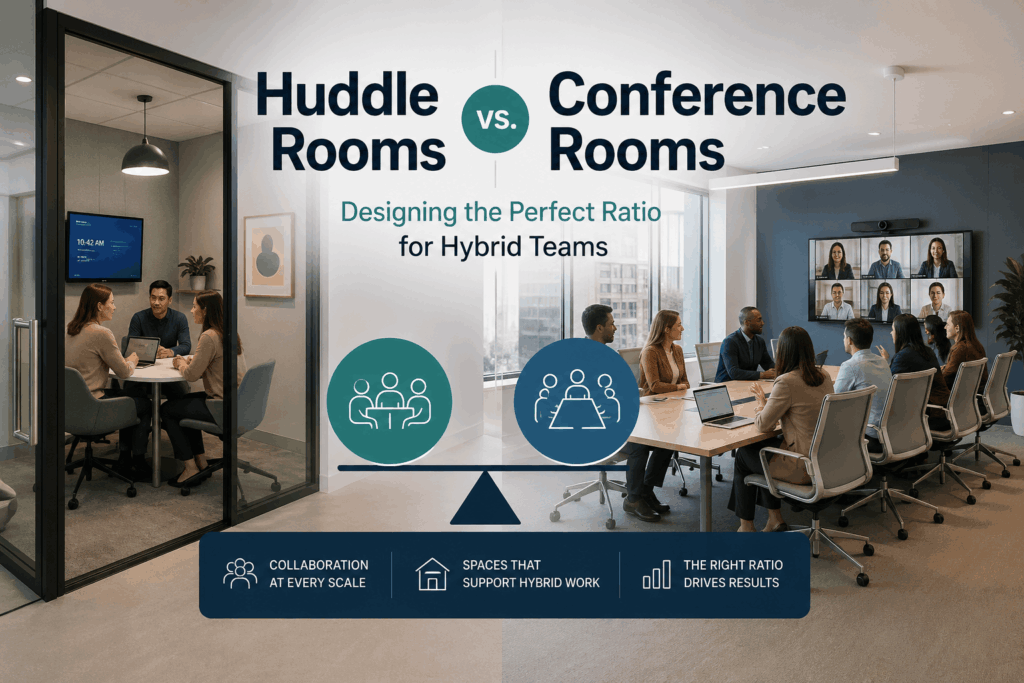
The workplace landscape has fundamentally shifted. As organizations navigate the complexities of hybrid work models, one question surfaces repeatedly: how do we design office spaces that serve both in-person and remote team members effectively? Understanding hybrid office space design trends 2026 is no longer optional for forward-thinking businesses. It’s a strategic imperative that directly impacts productivity, employee satisfaction, and operational efficiency.
The traditional conference room-heavy office layout is becoming obsolete. Today’s workforce demands flexible, technology-enabled spaces that support spontaneous collaboration, focused video calls, and seamless integration between physical and virtual participants. The solution lies in striking the right balance between huddle rooms and conference rooms, and the ratio you choose will define how well your office supports modern work patterns.
Understanding the Shift in Workplace Dynamics
The pandemic accelerated trends that were already reshaping office design. According to recent workplace research, 73% of employees now expect flexible work options, and companies are responding by reimagining how physical office space functions. This evolution has elevated the importance of small, technology-rich meeting spaces.
Huddle rooms have emerged as the workhorse of the hybrid office. These compact spaces, typically designed for 2-6 people, facilitate quick team sync-ups, one-on-one video calls, and focused collaboration sessions. Unlike traditional conference rooms that often sit empty or are difficult to book, huddle rooms see consistently high utilization rates.
What Defines a Huddle Room vs. a Conference Room?
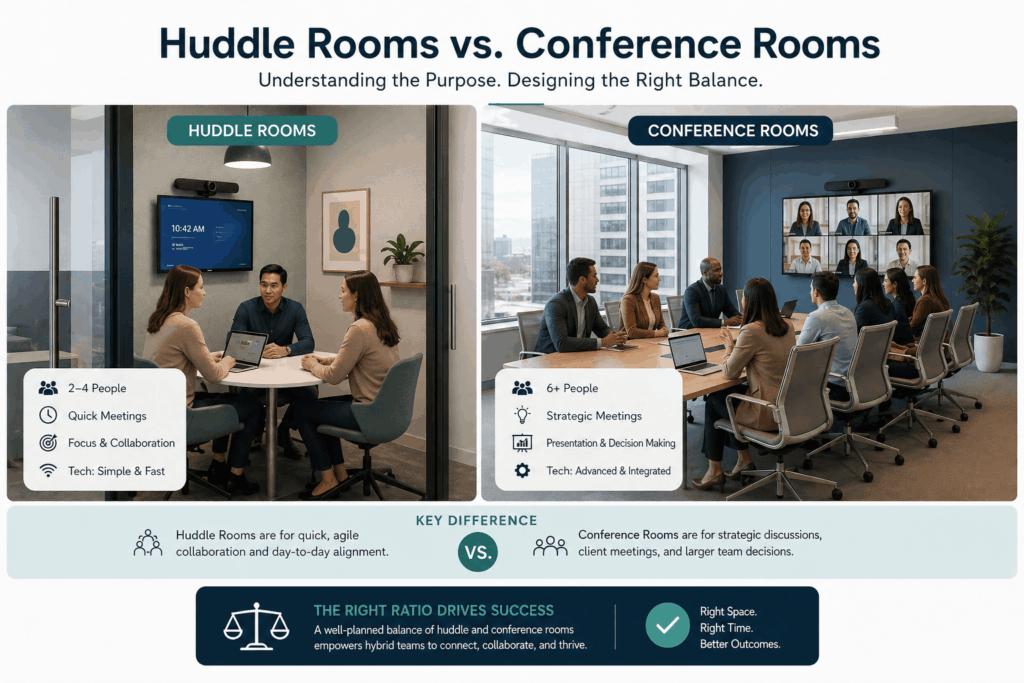
Huddle Rooms:
- Accommodate 2-4 participants
- Optimized for quick meetings (15-45 minutes)
- Equipped with single-screen displays and simplified AV controls
- Designed for spontaneous, informal collaboration
- Require minimal setup time
Conference Rooms:
- Support 6-20+ participants
- Built for extended sessions (1-3 hours)
- Feature advanced AV systems, multiple displays, and professional sound
- Accommodate formal presentations and client meetings
- Include sophisticated recording and streaming capabilities
The key distinction is not just size. It’s about purpose, technology density, and user experience. Each space type serves different workflows, and understanding these differences is foundational to effective office planning.
The Ideal Ratio: Data-Driven Recommendations
Based on occupancy studies and utilization metrics from leading workplace consultants, the optimal ratio for most hybrid offices falls between 3:1 and 4:1 (huddle rooms to conference rooms). For every large conference room, you should plan for three to four huddle spaces.
This ratio reflects actual meeting patterns in hybrid environments:
- 60-70% of meetings involve 2-6 people
- 20-25% require medium-sized spaces (6-8 people)
- 10-15% need large conference room capacity
However, your specific ratio depends on several factors:
Industry Type: Creative agencies and tech companies may skew toward more huddle rooms (4:1 or 5:1), while professional services firms with frequent client presentations might maintain a 2:1 or 3:1 ratio.
Team Size and Structure: Organizations with many small, autonomous teams benefit from abundant huddle spaces. Companies with larger departmental structures may need more conference rooms.
Remote Work Policy: The more employees work remotely, the higher your huddle room requirement. These spaces become critical for remote participants joining hybrid meetings.
Technology Requirements: The Hidden Differentiator
The ratio itself is only half the equation. The technology infrastructure supporting these spaces determines whether they deliver value or frustration. Modern hybrid office space design trends 2026 emphasize seamless, intuitive technology that works consistently across all room types.
Huddle Room Technology Essentials
Effective commercial AV systems for huddle rooms should include:
- Single 4K display (40-55 inches)
- Wide-angle camera with intelligent framing
- Professional-grade speakerphone or ceiling microphone
- One-touch meeting launch (Teams, Zoom, or platform-agnostic)
- Wireless screen sharing capability
The goal is zero-friction deployment. Employees should enter the room, tap a button, and begin their meeting within 30 seconds. This requires robust audio visual systems integration and careful cable management.
Conference Room Technology Stack
Conference rooms demand more sophisticated infrastructure:
- Dual or triple display configuration
- PTZ cameras with preset positions
- Advanced audio processing (echo cancellation, noise suppression)
- Presentation switching and recording capabilities
- Integration with room scheduling systems
The backbone supporting all of this is reliable structured network cabling. Insufficient network infrastructure is the leading cause of AV system failures in hybrid workspaces. Cat6A cabling with adequate bandwidth and proper cable certification is non-negotiable.
Common Design Mistakes to Avoid
Even with the correct ratio, organizations frequently stumble during implementation. Here are the most costly mistakes:
Underestimating Network Requirements: Many companies retrofit AV equipment into spaces with inadequate network infrastructure. Every camera, display, and control system requires stable connectivity. Poor managed WiFi services or insufficient wired connections result in dropped calls, frozen screens, and employee frustration.
Inconsistent Technology Platforms: Using different video conferencing hardware across rooms creates user confusion and IT support nightmares. Standardization improves adoption rates and reduces training requirements.
Ignoring Acoustics: Small rooms amplify audio problems. Without proper acoustic treatment, huddle rooms become echo chambers that frustrate remote participants. Sound masking systems and acoustic panels are essential investments.
Neglecting Lighting Design: Video calls require proper lighting. Rooms with poor lighting make in-person participants appear shadowy or washed out on camera, undermining the professional image you want to project.
Calculating Your Specific Space Requirements
To determine your ideal huddle room and conference room allocation:
- Analyze Current Meeting Patterns: Review calendar data for the past 90 days. Categorize meetings by participant count and duration.
- Project Future Headcount: Factor in growth plans. A 20% increase in employees typically requires a 30-40% increase in collaborative spaces due to hybrid work patterns.
- Apply the 70% Utilization Target: Spaces booked above 70% capacity feel overcrowded and create scheduling conflicts. Design for peak demand, not average usage.
- Consider Departmental Clustering: Sales teams have different meeting patterns than engineering teams. Cluster room types near the departments that use them most.
A typical calculation for a 100-person hybrid office might yield:
- 12-16 huddle rooms
- 3-4 medium conference rooms
- 1-2 large conference rooms
Budgeting for Implementation
Understanding hybrid office space design trends 2026 also means planning realistic budgets. Average costs for fully equipped spaces include:
Huddle Rooms: $8,000 – $15,000 per room
- Display and mounting: $1,500 – $3,000
- Camera and audio: $2,500 – $5,000
- Control system: $1,000 – $2,000
- Installation and cabling: $3,000 – $5,000
Conference Rooms: $25,000 – $75,000+ per room
- Multiple displays: $5,000 – $15,000
- Advanced camera systems: $5,000 – $12,000
- Professional audio: $8,000 – $20,000
- Control and automation: $3,000 – $8,000
- Installation and integration: $4,000 – $20,000
These figures include professional installation and proper technology build-outs but assume standard commercial space. Unique architectural requirements or premium finishes will increase costs.
Future-Proofing Your Investment
Technology evolves rapidly, but smart design decisions can extend the lifespan of your investment:
Modular Infrastructure: Install conduit and cable pathways that allow easy equipment upgrades without tearing open walls.
Over-Provision Network Capacity: Today’s 1Gbps requirements will be tomorrow’s bottleneck. Install fiber backbone infrastructure even if you don’t immediately need it.
Platform-Agnostic Design: Choose hardware that works across Microsoft Teams, Zoom, Google Meet, and other platforms. Vendor lock-in limits future flexibility.
Scalable Power Distribution: Ensure adequate electrical capacity for future equipment additions without requiring panel upgrades.
Making the Decision: Your Next Steps
Designing the optimal huddle room to conference room ratio is not a one-size-fits-all exercise. It requires careful analysis of your organization’s specific work patterns, growth trajectory, and technology standards. However, the effort pays dividends in employee productivity, space utilization, and technology ROI.
The hybrid office is here to stay, and the companies that proactively address hybrid office space design trends 2026 will have significant competitive advantages in talent attraction and operational efficiency. Your office layout should reflect how your teams actually work, not how they worked five years ago.
Whether you are planning a complete office renovation or incrementally upgrading existing spaces, professional guidance ensures your investment delivers lasting value. The right technology partner brings expertise in AV integration, network infrastructure, and workplace strategy that transforms good intentions into high-performing environments.
Contact Integrated Technology Solutions to discuss your hybrid office design project. Our team of BICSI-certified technicians and AV specialists will help you create collaborative spaces that support your team’s success, both today and as workplace trends continue to evolve.
