
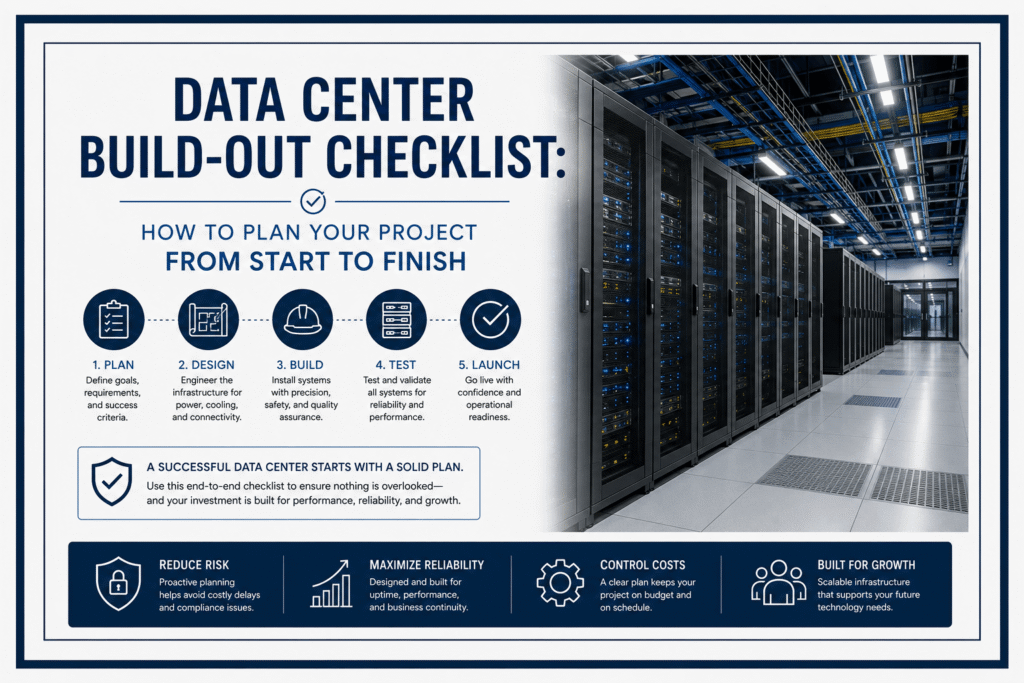
Planning a data center build-out is one of the most complex infrastructure projects an IT manager will ever oversee. There are dozens of moving parts, dozens of vendors, and dozens of decisions that need to happen in the right order. Miss one item and the whole project can be delayed or, worse, you go live with a critical flaw you only discover under load.
That is exactly what a data center build-out checklist is designed to prevent. It keeps your project organized, ensures nothing falls through the cracks, and gives every stakeholder a clear picture of where the project stands at any point.
This guide walks through a complete data center build-out checklist for IT managers, from the first planning conversation to the moment you hand the facility over to operations. It covers MDF IDF planning, power and cooling, structured cabling, security, environmental monitoring, and commissioning. Use it as a working reference throughout your project.
Why IT Managers Need a Data Center Build-Out Checklist
Data center projects fail in predictable ways. Power loads are underestimated. Cooling is undersized. Cable management is ignored until the room is full. The MDF IDF planning happens too late to affect the layout. Commissioning testing is skipped to meet a deadline.
Every one of these failures is avoidable. A well-structured data center build-out checklist forces the right conversations at the right time. It creates accountability between teams and helps IT managers communicate project status to leadership without ambiguity.
This data center build-out checklist is organized into phases that mirror a real project timeline. Work through each phase in order and you will catch problems while they are still cheap to fix.
Phase 1: Requirements and Scope Definition
Every successful data center build-out starts with a clear definition of what you are actually building. Skipping this phase is the single most common reason projects go over budget and over time.
Business and Technical Requirements
Before anything else, document what the data center needs to do. Answer these questions clearly:
• What is the primary purpose of the facility? Internal IT operations, colocation hosting, disaster recovery, or a combination?
• How many racks are needed at launch and how many in three to five years?
• What power density is required per rack on average and at peak?
• What uptime requirement applies? Tier 1 through Tier 4?
• Are there compliance requirements such as HIPAA, PCI-DSS, SOC 2, or FedRAMP?
• What is the total project budget and what is the target go-live date?
Tier Classification Decision
Agree on the target tier classification early. Tier 2 and Tier 3 are the most common choices for enterprise builds. Tier 3 provides concurrently maintainable infrastructure, meaning routine maintenance does not require downtime. Tier 4 adds full fault tolerance but significantly increases construction and operating costs.
The tier decision drives your redundancy requirements for power, cooling, and network, so it must be made before design begins. Revisiting this decision mid-project is expensive.
Vendor and Partner Selection
Identify your key vendors and contractors early. You need a structural and civil engineer, a mechanical and electrical engineer, a low voltage cabling contractor, a security systems installer, and a network equipment vendor at minimum. Confirm that your low voltage contractor holds BICSI certification before proceeding. This is a non-negotiable standard for any serious data center build-out checklist.
Phase 2: Site Selection and Physical Assessment
If you are selecting a new site, the physical location and building condition are foundational to everything that follows. If you are building out within an existing facility, a thorough assessment is still essential.
Site Assessment Checklist Items
• Floor load capacity: Verify the floor can support your rack and equipment weight. Data center equipment is heavy. Standard office floors typically cannot support full rack loads without reinforcement.
• Ceiling height: Minimum 10 feet of clear height above the raised floor or finished floor is recommended. Higher ceilings support better airflow management.
• Power availability: Confirm what utility power is available and whether it can support your current and projected load. Check for redundant feed availability.
• Utility entrance locations: Power and fiber should enter the building from different physical points to avoid a single point of failure.
• Flood and natural hazard risk: In Texas, flooding is a real concern in many areas. Confirm the site is outside flood zones and evaluate other environmental risks.
• Carrier diversity: Verify that multiple fiber carriers can serve the site. Single-carrier buildings create network risk.
• Physical access and security: Can the room be physically secured? Is there a path for equipment delivery that does not pass through occupied office space?
Phase 3: Physical Layout and MDF IDF Planning
MDF IDF planning is one of the most critical and most commonly under-resourced phases of a data center build-out checklist. The decisions made here affect cable run lengths, network performance, and the cost of every future change to the facility.
Understanding MDF and IDF Roles
The Main Distribution Frame (MDF) is the central point of the network. It houses your core switches, routers, patch panels, and the termination point for all incoming fiber from carriers and from IDF locations throughout the facility.
Intermediate Distribution Frames (IDFs) serve specific zones or rows within the data center. They connect back to the MDF via fiber backbone and distribute connectivity to the racks in their zone via copper or fiber horizontal cabling.
Proper MDF IDF planning determines cable run distances, which directly affects performance limits and cable cost. It also determines how many switches you need, where cooling capacity is concentrated, and how easily you can expand in the future.
MDF IDF Planning Checklist Items
• Determine MDF room location relative to incoming carrier fiber and building power entrance
• Size the MDF room to accommodate current and projected switching, patching, and fiber termination needs with at least 30 percent growth margin
• Plan dedicated cooling for the MDF room separate from the main floor cooling
• Determine the number and location of IDF points based on rack row layout and maximum cable run distances
• Plan overhead cable tray routing between MDF, IDFs, and rack rows
• Specify fiber backbone type and strand count between MDF and each IDF location
• Confirm all IDF rack locations on floor plan before cabling design begins
Row and Rack Layout
Design your row layout around the hot aisle and cold aisle principle. Servers face the cold aisle and exhaust into the hot aisle. This separation is the foundation of efficient data center cooling and must be established at the layout phase.
Plan rack spacing to allow at least 36 inches of clearance in cold aisles and 24 inches in hot aisles. Leave space at the end of each row for cable routing access. Mark each rack position on the floor plan with a unique identifier that will be used in all documentation going forward.
BIM Modeling
Use Building Information Modeling (BIM) to create a digital model of the data center before construction begins. BIM catches conflicts between cable pathways, cooling equipment, structural elements, and electrical conduit while changes are still cheap. ITS uses BIM modeling as part of our data center installation services to reduce rework and keep projects on schedule.
Phase 4: Power Infrastructure Planning
Power planning is where most data center build-out checklists are too vague. Be specific. Underestimating power requirements is one of the most expensive mistakes you can make, because expanding power infrastructure after the fact is extremely disruptive and costly.
Power Planning Checklist Items
• Calculate total IT load: Add up nameplate power ratings for all planned equipment and multiply by a utilization factor. Do not plan to fill every kilowatt from day one. Build in 40 to 50 percent headroom.
• Select UPS system: Choose a UPS that supports N+1 redundancy at minimum. Size for current load plus at least two years of projected growth. Use modular UPS systems where possible for easier expansion.
• Generator capacity: Size your generator to carry the full IT load plus cooling and lighting with margin. Confirm fuel delivery contracts for extended outage scenarios in Texas where severe weather events occur regularly.
• Automatic Transfer Switch (ATS): Specify the ATS transfer time. For most data centers, transfer within 10 milliseconds is required to stay within UPS bridge time.
• Power Distribution Units (PDUs): Select rack-mount PDUs with remote monitoring capability. This gives you per-outlet visibility into power consumption at the rack level.
• Dual-corded equipment: Confirm your servers and storage support dual power supply inputs and plan PDU placement accordingly to allow true A-feed and B-feed separation.
• Grounding and bonding: Verify that your grounding and bonding plan meets TIA-607 standards. Proper grounding protects equipment from surges and is a safety requirement.
Phase 5: Cooling System Design
Cooling is the most common area where data center build-out checklists fall short. The tendency is to plan for average power density rather than peak density, and then discover that hot spots are causing equipment throttling once the racks are loaded.
Cooling Design Checklist Items
• Calculate total heat load: Total heat output equals total IT power load in kilowatts converted to BTU per hour. Add cooling system self-heat and lighting. Size cooling to handle this at full load with redundancy.
• Select cooling technology: Choose between Computer Room Air Conditioning (CRAC), Computer Room Air Handlers (CRAH), in-row cooling, or a combination. Higher density racks typically need in-row or rear-door cooling supplements.
• Aisle containment: Specify hot aisle or cold aisle containment. Containment prevents hot and cold air mixing, which dramatically improves cooling efficiency and reduces energy costs.
• Blanking panels: Every unused rack unit must be blanked to prevent hot air recirculation into the cold aisle.
• Raised floor vs. overhead delivery: Decide whether cold air is delivered from below via raised floor tiles or from above via overhead ductwork. Mixed delivery is common in retrofits.
• N+1 cooling redundancy: Ensure that the failure of one cooling unit does not cause the room temperature to rise above safe operating limits before the unit can be repaired or replaced.
Phase 6: Structured Cabling and Network Infrastructure
This is the phase where your MDF IDF planning translates into physical installation. Structured cabling is the foundation of all network connectivity in the data center, and it must be installed and tested to standard before any equipment goes into the racks.
Cabling Design Checklist Items
• Fiber backbone specification: Specify single-mode OS2 fiber for backbone runs between MDF and IDF locations. Plan strand count based on current port count plus 100 percent growth margin. Unused strands cost almost nothing to install now but are expensive to add later.
• Horizontal cabling specification: Use Cat6A for all copper horizontal runs in 2026. Cat6A supports 10 Gbps over 100-meter runs and is the recommended standard for new data center builds.
• Cable pathway design: Design overhead cable tray routes for both power and data cables. Maintain minimum separation between power and data pathways to prevent electromagnetic interference. Typically 12 inches of separation minimum.
• Patch panel layout: Design patch panel placement in MDF and IDF racks to allow clean, short patch cord connections. Color-code patch panels by function: copper horizontal, fiber backbone, cross-connects.
• Labeling scheme: Define your labeling convention before a single cable is pulled. Every cable, panel port, and piece of equipment should carry a unique, meaningful label that maps to your documentation system.
• Standards compliance: All cabling must be installed to ANSI/TIA-942 for data centers. Specify BICSI certified installers in your contractor requirements.
ITS provides full structured cabling design and installation for data center build-out projects. Our structured network cabling services include design, BICSI certified installation, cable certification testing, and complete as-built documentation.
Fiber Optic Checklist Items
• Specify fiber connector type: LC duplex is standard for most data center applications
• Use pre-terminated MPO trunk cables for high-density applications to reduce installation time and human termination error
• Test all fiber runs with OTDR after installation to confirm splice and connector performance
• Document OTDR traces and end-face inspection images for every fiber termination point
ITS also handles dedicated fiber optic installation for data center backbones, including OTDR testing and full certification documentation.
Phase 7: Physical Security Systems
Physical security is part of every serious data center build-out checklist. Unauthorized physical access is one of the most significant security risks for any facility handling sensitive data. Every layer of your data center should require independent authentication.
Security Checklist Items
• Perimeter access control: Card reader or biometric access at the building entrance, the data center room entrance, and any high-security cage or suite within the facility.
• Mantrap or airlock: A double-door entry system that allows only one person at a time and prevents tailgating. Required for Tier 3 and above facilities.
• CCTV coverage: Cameras at all entry points, every aisle, loading dock, and equipment cages. Confirm camera coverage maps before installation. No blind spots.
• Video retention: Specify minimum 90 days of video retention for compliance purposes. Many regulated industries require longer retention.
• Access logging: Every access event must be logged with timestamp, credential ID, and door location. Audit logs must be retained and tamper-evident.
• Visitor management: Define a visitor escorting policy and implement a sign-in system that captures visitor identity, escort name, and time in and out.
ITS installs complete physical security systems as part of data center build-out projects through our commercial security and electrical services. Access control, CCTV, and intrusion detection are all coordinated with the cabling infrastructure under one installation team.
Phase 8: Environmental Monitoring
Environmental monitoring is the early warning system for your data center. Without it, a cooling failure, water leak, or humidity swing can go undetected until equipment is already damaged.
Environmental Monitoring Checklist Items
• Temperature sensors: Mount at the front of each rack, at mid-height and top height in the cold aisle. Also monitor hot aisle return temperatures and equipment room ambient.
• Humidity sensors: ASHRAE recommends maintaining relative humidity between 40 and 60 percent. Place sensors at multiple locations across the floor to catch localized variations.
• Water leak detection: Rope-type water sensors under raised floors and around all cooling equipment. Cooling system water leaks are one of the leading causes of catastrophic data center damage.
• Airflow sensors: Confirm that cold air is reaching the front of racks as designed and that hot air is not recirculating into the cold aisle.
• Smoke and fire detection: Install VESDA (Very Early Smoke Detection Apparatus) or equivalent under-floor and above-ceiling detection in addition to standard room-level detectors.
• Centralized monitoring dashboard: All sensor data feeds into a single platform with configurable alerting. Staff receive immediate notification of any reading outside defined thresholds.
• Alert response procedures: Define and document the response procedure for every alert type before go-live. An alert without a documented response plan is nearly useless.
Phase 9: Network Equipment Installation and Configuration
Once cabling is in place and tested, network equipment can be installed and configured. This phase should not begin until cable certification reports are complete. Installing equipment on uncertified cabling creates troubleshooting confusion when problems arise.
Network Equipment Checklist Items
• Rack core and distribution switches in MDF with redundant uplinks between each switch pair
• Install and configure top-of-rack access switches in each row or IDF zone
• Configure out-of-band management network using dedicated management ports and a separate management VLAN
• Verify redundant uplink paths from access layer to distribution layer with failover testing
• Install and configure firewalls at the network perimeter and between internal security zones
• Terminate and test carrier fiber connections and confirm internet and WAN circuit functionality
• Verify that network equipment receives power from both A-feed and B-feed PDUs where applicable
Phase 10: Testing, Commissioning, and Documentation
This is the most commonly rushed phase of any data center build-out checklist. Commissioning takes time, but the cost of discovering a problem after go-live is always higher than the cost of finding it during testing. Do not skip or shorten this phase.
Commissioning Checklist Items
• Cable certification: Test every copper cable run with a Level III or higher field tester. Every run that fails must be corrected before sign-off. Provide pass/fail reports for every run.
• Fiber OTDR testing: Test every fiber run in both directions and document results. Confirm insertion loss is within specification for all links.
• Power failover test: Simulate a utility power loss and confirm that UPS and generator transfer occurs within specified time. Load the system to at least 50 percent of rated capacity during this test.
• Cooling performance test: Run the facility at or near target load and confirm that temperature remains within ASHRAE A2 or better class parameters throughout the room.
• Security system verification: Test every access control reader, every camera, and all environmental alarms. Confirm that alerts reach monitoring staff within defined response times.
• Network path testing: Verify all redundant network paths and simulate link failures to confirm failover operates correctly.
• As-built documentation: Produce complete as-built drawings, cable schedules, equipment inventories, and configuration backups. This documentation is essential for ongoing operations and future changes.
How ITS Supports Data Center Build-Out Projects in Texas
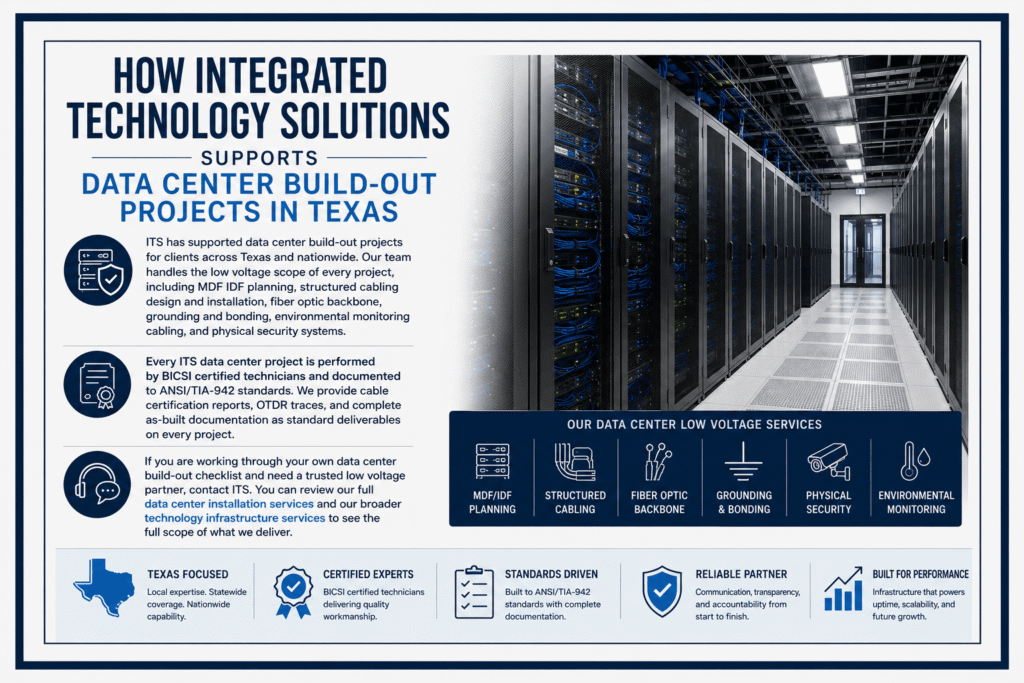
ITS has supported data center build-out projects for clients across Texas and nationwide. Our team handles the low voltage scope of every project, including MDF IDF planning, structured cabling design and installation, fiber optic backbone, grounding and bonding, environmental monitoring cabling, and physical security systems.
Every ITS data center project is performed by BICSI certified technicians and documented to ANSI/TIA-942 standards. We provide cable certification reports, OTDR traces, and complete as-built documentation as standard deliverables on every project.
If you are working through your own data center build-out checklist and need a trusted low voltage partner, contact ITS. You can review our full data center installation services and our broader technology infrastructure services to see the full scope of what we deliver.
Frequently Asked Questions About Data Center Build-Out Checklists
How long does a data center build-out project take?
Timelines depend on scale and complexity. A small server room can be completed in a few weeks. A full enterprise data center build-out typically takes six to eighteen months from site selection to commissioning. MDF IDF planning and cabling design should begin no later than the schematic design phase of construction.
What is the most common mistake in MDF IDF planning?
Placing IDF locations based on available floor space rather than cable routing logic. Every meter of extra cable run adds cost and slightly degrades performance. IDF locations should be placed at the center of the zones they serve, not wherever space is convenient.
Is a separate data center build-out checklist needed for each phase?
Many IT managers maintain a master build-out checklist with all phases plus separate phase-specific documents for each trade. The master checklist tracks overall completion. Phase-specific documents give the relevant contractor or engineer the detail they need for their scope.
Can ITS help with data center build-out projects outside Texas?
Yes. ITS manages data center build-out projects nationwide from our Texas headquarters. We use standardized processes, certified technicians, and consistent documentation practices across all locations so quality does not vary by site.
For technical standards that should inform your data center build-out checklist, the Telecommunications Industry Association publishes ANSI/TIA-942, the primary standard for data center telecommunications infrastructure. This document covers structured cabling, MDF IDF planning, power, cooling, and physical security requirements.
The Uptime Institute publishes the Tier Standard that governs data center classification from Tier 1 through Tier 4. Their tier certification program is the global benchmark for data center reliability and is referenced by engineers and IT managers on build-out projects worldwide.
Start Your Data Center Build-Out With the Right Team
A thorough data center build-out checklist is the difference between a smooth project and a costly rebuild. It forces the right decisions at the right time, keeps your vendors accountable, and gives leadership confidence that the project is on track.
Use this checklist as your working document from requirements definition through commissioning. Add your own organization-specific items at each phase. Share it with your general contractor, your low voltage installer, and your network team so everyone is working from the same list.
Contact Integrated Technology Solutions today to discuss your data center build-out project. Call us at +1 888-985-5334 or visit our contact page to schedule a consultation with our certified team.
