
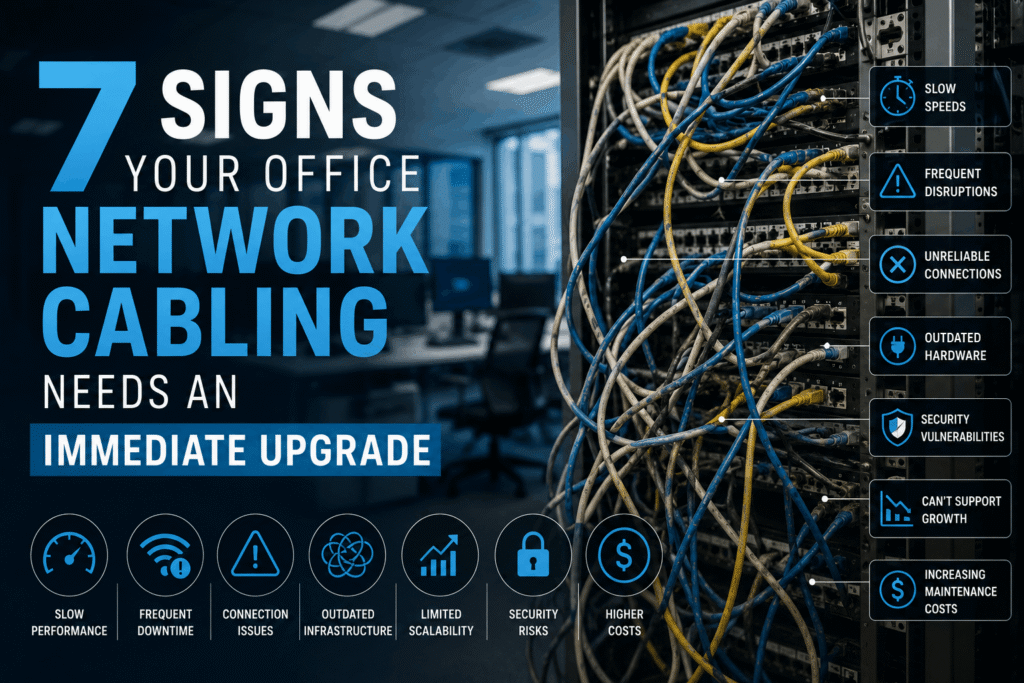
Your office network cabling is the hidden backbone of your business. When it works well, nobody thinks about it. When it fails, everything stops. Recognizing when you need an office network cabling upgrade can save your company from costly downtime, frustrated employees, and lost revenue.
Most businesses don’t plan for cabling upgrades. They wait until problems become severe. This reactive approach costs more money and creates bigger headaches than proactive planning. The warning signs are usually there long before a complete failure occurs.
This guide reveals seven clear indicators that your network infrastructure needs immediate attention. If you recognize even two or three of these symptoms, it’s time to evaluate your cabling system before small problems become major disasters.
Sign #1: Frequent Network Slowdowns and Bottlenecks
Speed issues rarely appear without cause. When employees complain about slow file transfers, lagging video calls, or applications that freeze, your cabling might be the culprit.
Common Speed-Related Problems:
- File transfers that should take seconds require minutes
- Video conferences freeze or pixelate constantly
- Cloud applications load slowly or time out
- Multiple users cannot work efficiently at the same time
- Downloads and uploads crawl during peak hours
These symptoms indicate your network cannot handle current demand. Modern businesses run bandwidth-intensive applications that older cabling simply wasn’t designed to support.
Why This Happens:
Old Category 5 or early Category 6 cables have bandwidth limitations. They worked fine ten years ago. Today’s video conferencing, cloud storage, and collaboration tools need much more capacity.
When cables reach their performance limits, data packets get delayed or dropped. Your network slows to a crawl. Productivity suffers.
Professional structured network cabling delivers the bandwidth modern offices require. Upgrading eliminates bottlenecks and restores full-speed performance.
Sign #2: Inconsistent WiFi Performance Throughout the Office
WiFi problems often trace back to network cabling issues. Your wireless access points connect to your wired network. If the wired infrastructure has problems, WiFi suffers too.
WiFi Warning Signs:
- Dead zones in certain office areas
- Strong signal but slow actual speeds
- Frequent disconnections and reconnections
- Some access points work while others don’t
- WiFi works fine in the morning but degrades by afternoon
Many businesses blame their WiFi equipment or internet service provider. The real issue often lies in the cabling connecting access points to the network.
The Hidden Connection:
Modern WiFi 6 and WiFi 6E access points need robust wired connections. They require Power over Ethernet (PoE) for both data and electricity. Older cables cannot reliably deliver the power these devices need.
When power delivery becomes unstable, access points malfunction. They restart randomly. Performance drops. Users get frustrated.
Upgrading to Category 6A cabling ensures your access points receive stable power and data connections. This creates reliable managed WiFi services throughout your facility.
Sign #3: Visible Cable Damage or Poor Installation Quality
Sometimes problems are obvious when you look at your cables. Physical inspection reveals issues that cause performance problems or safety hazards.
What to Look For:
- Cables with kinked, bent, or crushed sections
- Exposed wiring without proper protection
- Cables draped across ceilings or floors
- Tangled cable bundles with no organization
- Cables running near electrical wiring or fluorescent lights
- Damaged or broken connectors
- Cable ties pulled extremely tight
Poor installation shortcuts create immediate and long-term problems. Cables bent too sharply experience internal damage. This degrades signal quality even if the outside looks intact.
Professional vs. Amateur Installation:
Quality installations use proper cable management systems. Cables run through organized pathways. They maintain appropriate bend radius. Everything is labeled and documented.
Amateur installations ignore these standards. Cables get stapled, kinked, or bundled carelessly. The network might work initially but fails progressively over time.
If your cabling looks messy or damaged, an office network cabling upgrade isn’t optional. It’s necessary for reliability and safety.
Sign #4: Your Cabling Is More Than 10 Years Old
Technology advances rapidly. Cabling installed a decade ago cannot support today’s requirements. Even if it still functions, old infrastructure limits your capabilities.
Age-Related Limitations:
Category 5e cabling was common 10-15 years ago. It supports 1 Gigabit speeds but struggles with modern demands:
- Cannot handle 10 Gigabit Ethernet
- Limited Power over Ethernet capability
- Higher error rates as materials age
- No support for newer PoE++ devices
- Incompatible with latest networking standards
The Upgrade Cycle:
Network cabling has a practical lifespan of 10-15 years. After that, the technology becomes outdated even if cables still physically function.
Compare this to other technology. Would you run servers or computers from 2014? Probably not. Your cabling deserves the same upgrade consideration.
Modern Category 6A cabling supports current needs and provides headroom for future growth. It handles 10 Gigabit speeds, delivers robust PoE++ power, and remains relevant for years to come.
Sign #5: Equipment Failures and Connectivity Drops
Random disconnections frustrate users and interrupt business operations. If network connections drop frequently, your cabling might be failing.
Connectivity Problem Patterns:
- Computers randomly lose network connection
- IP phones drop calls unexpectedly
- Printers disappear from the network
- Security cameras go offline intermittently
- Network switches show frequent errors
- Devices require constant rebooting
These issues often start small. One device has occasional problems. Then another. Eventually, multiple devices experience regular failures.
Root Causes:
Several cabling problems cause connectivity drops:
Connector Degradation: Plugs and jacks wear out over time. Poor contact creates intermittent connections.
Cable Damage: Internal wire breaks from physical stress. Connections work sometimes but fail under load.
Electromagnetic Interference: Cables near electrical equipment pick up interference. This corrupts data signals.
Moisture Damage: Water exposure corrodes connections. Even small amounts cause progressive failure.
Addressing these issues requires professional assessment. Sometimes simple repairs work. Often, complete replacement provides the only reliable solution.
Quality copper cabling solutions eliminate these problems and restore stable connectivity throughout your network.
Sign #6: You Cannot Support New Technology or Equipment
Business growth requires technology adaptation. When your network cannot support new devices or applications, cabling becomes the limiting factor.
Technology Compatibility Issues:
- New VoIP phone systems won’t power up properly
- High-resolution security cameras cannot connect
- Video conferencing equipment experiences quality problems
- Digital displays for digital signage lack adequate bandwidth
- IoT devices fail to maintain stable connections
- Upgraded switches and routers cannot run at full speed
The Power Problem:
Many modern devices use Power over Ethernet. They receive both data and electricity through the network cable. This eliminates separate power supplies and simplifies installation.
However, older cabling cannot safely deliver required power levels:
- Cat5e: Supports basic PoE (15 watts)
- Cat6: Handles PoE+ (25 watts) with limitations
- Cat6A: Delivers PoE++ (90 watts) reliably
Advanced devices like WiFi 6E access points, PTZ security cameras, and high-performance displays need PoE++. Without adequate cabling, they simply won’t work.
Business Impact:
Inadequate infrastructure delays projects. You cannot deploy new technology on schedule. Competitive advantages slip away. Your business falls behind.
Planning an office network cabling upgrade before starting technology projects prevents these delays and ensures smooth implementations.
Sign #7: You’re Planning an Office Renovation or Expansion
Major facility changes create perfect opportunities for infrastructure upgrades. Walls will already be open. Contractors are already on-site. Upgrade costs drop significantly.
Renovation Opportunities:
- Office buildouts and remodeling projects
- Adding new departments or teams
- Creating conference rooms or collaboration spaces
- Relocating to a new office space
- Expanding into adjacent suites or floors
Why Timing Matters:
Installing cabling in finished spaces costs more. Contractors must carefully work around completed walls, ceilings, and furnishings. Labor hours increase. Disruption to daily operations grows.
During renovations, access is easy. Cabling installers work alongside other trades. Cables run through open walls before drywall goes up. Everything gets tested before finishes are complete.
Cost Savings:
Combining cabling upgrades with renovation projects typically saves 30-50% compared to standalone installations. Shared mobilization costs, coordinated schedules, and easy access all reduce expenses.
Planning cabling as part of your renovation ensures you don’t miss this cost-effective opportunity.
Professional technology build-outs coordinate all infrastructure elements for seamless integration with your renovation project.
What Happens If You Ignore These Warning Signs

Delaying necessary upgrades creates escalating problems:
Productivity Losses: Employees spend more time waiting for slow networks. Frustration builds. Work quality suffers.
Increased Downtime: Aging infrastructure fails more frequently. Each outage costs money and disrupts operations.
Security Vulnerabilities: Old cabling may not support modern security devices like cameras and access control systems. Your facility becomes less secure.
Higher Emergency Repair Costs: Reactive emergency repairs cost 2-3 times more than planned upgrades. Rush service, overtime labor, and expedited equipment all carry premium pricing.
Competitive Disadvantages: Companies with modern infrastructure work faster and serve customers better. Yours falls behind.
Taking Action: Your Next Steps
Recognizing these warning signs is the first step. Taking action is what matters.
Immediate Actions:
- Document Current Problems: Keep records of network issues, slowdowns, and failures
- Assess Cable Age: Determine when your current cabling was installed
- Inventory Requirements: List new technology or equipment you need to deploy
- Get Professional Assessment: Have experts evaluate your infrastructure condition
Professional Evaluation Benefits:
Qualified technicians provide:
- Comprehensive cable testing and certification
- Detailed condition assessments
- Specific upgrade recommendations
- Accurate cost estimates
- Phased implementation options
This information helps you make informed decisions about timing, budget, and scope.
The Value of Proactive Planning
Smart businesses plan infrastructure upgrades before problems become severe. This approach delivers multiple benefits:
Controlled Costs: Planned projects cost less than emergency repairs. You have time to budget appropriately and compare contractors.
Minimal Disruption: Scheduled upgrades happen during low-impact times. Emergency failures disrupt operations whenever they occur.
Better Results: Planned projects allow proper design and quality installation. Rush jobs sacrifice quality for speed.
Future-Proofing: Thoughtful upgrades anticipate future needs. You build infrastructure that serves your business for years to come.
Making the Right Choice for Your Business
Every business has unique requirements. Your office network cabling upgrade should reflect your specific needs, budget, and timeline.
Consider these factors:
Current Pain Points: Which problems affect productivity most?
Growth Plans: How will your business change over the next 5 years?
Budget Constraints: What can you invest now versus later?
Operational Impact: How much disruption can you tolerate during installation?
Professional guidance helps you navigate these decisions and develop a plan that works for your situation.
Don’t wait until complete failure forces your hand. The warning signs are clear. Take action now to protect your business from unnecessary downtime and expense.
An office network cabling upgrade is an investment in reliability, productivity, and future capability. Companies that maintain modern infrastructure operate more efficiently and compete more effectively.
Contact Integrated Technology Solutions to schedule a comprehensive network cabling assessment. Our BICSI-certified technicians will evaluate your current infrastructure, identify specific issues, and provide detailed recommendations for upgrades that support your business goals. Don’t let outdated cabling hold your organization back.
